• Home page
  • Articles
  • adservio.ro
  • RO
  • Home page
  • Articles
  • adservio.ro
  • RO

My Account

Homepage/Articole/My Account/How do you secure your Adservio account?
Popular searches:How do I create an Adservio account?, How do I create a strong password?, How do I recover my password?

How do you secure your Adservio account?

107 views 1

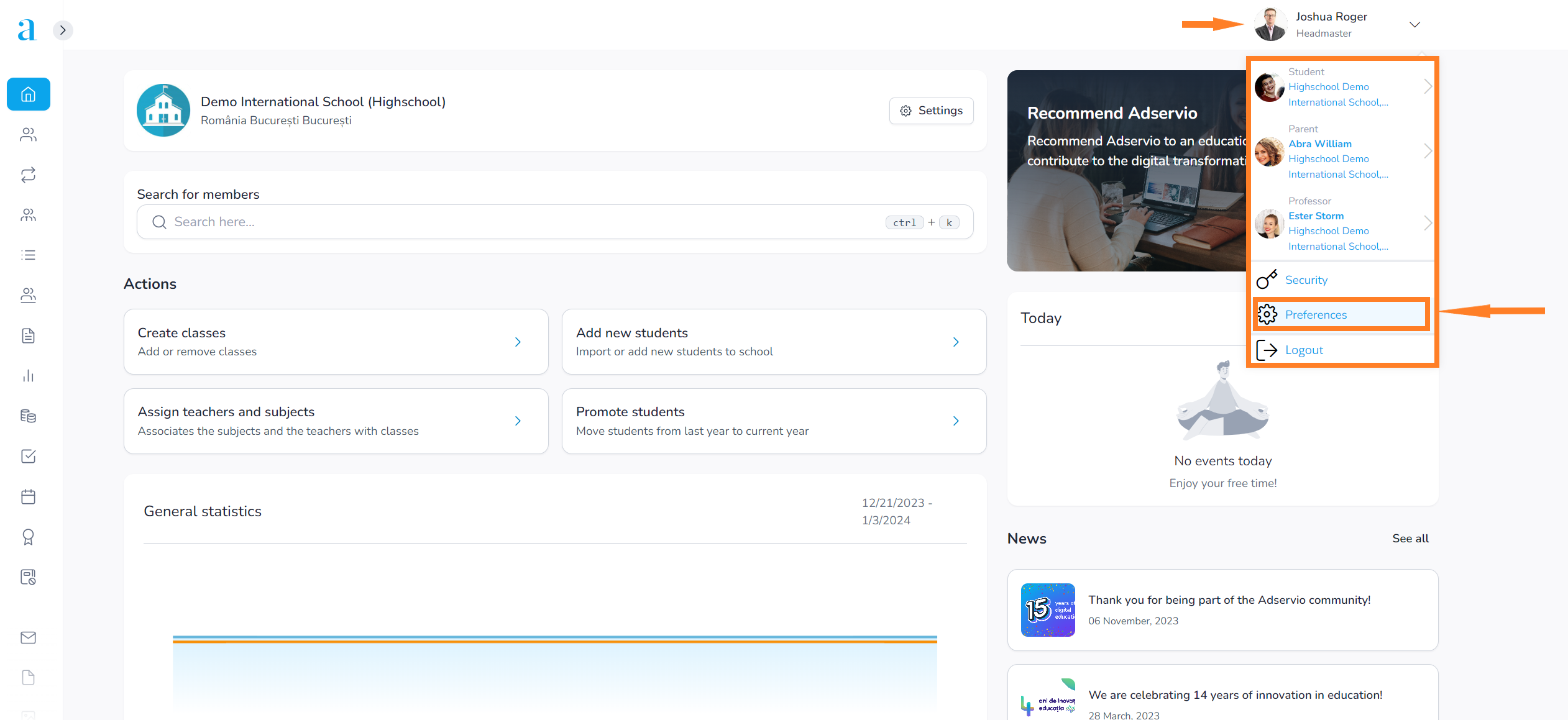
1. You can customize your account by clicking on Preferences on the top right of the page:
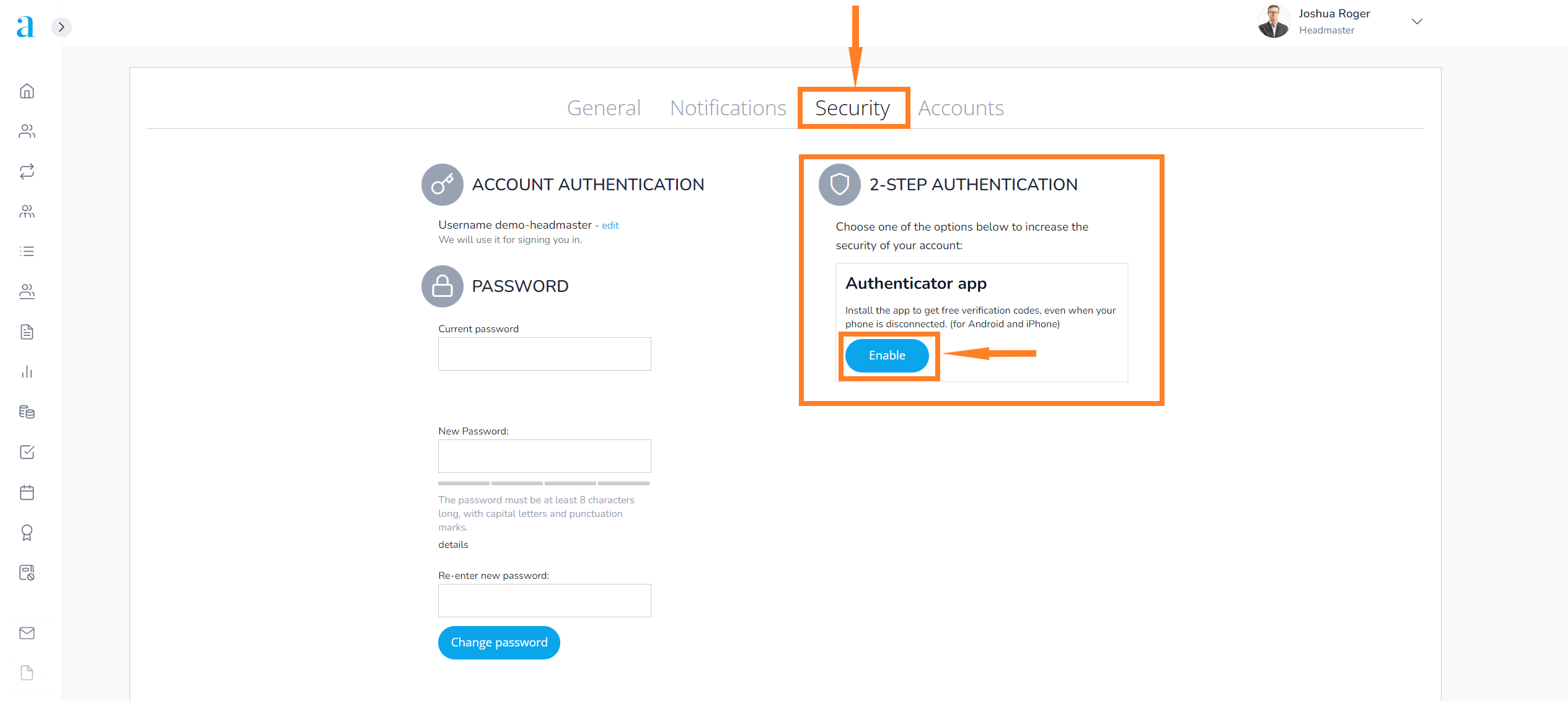
2. Select the Security section and press the Enable button next to the Authenticator application;
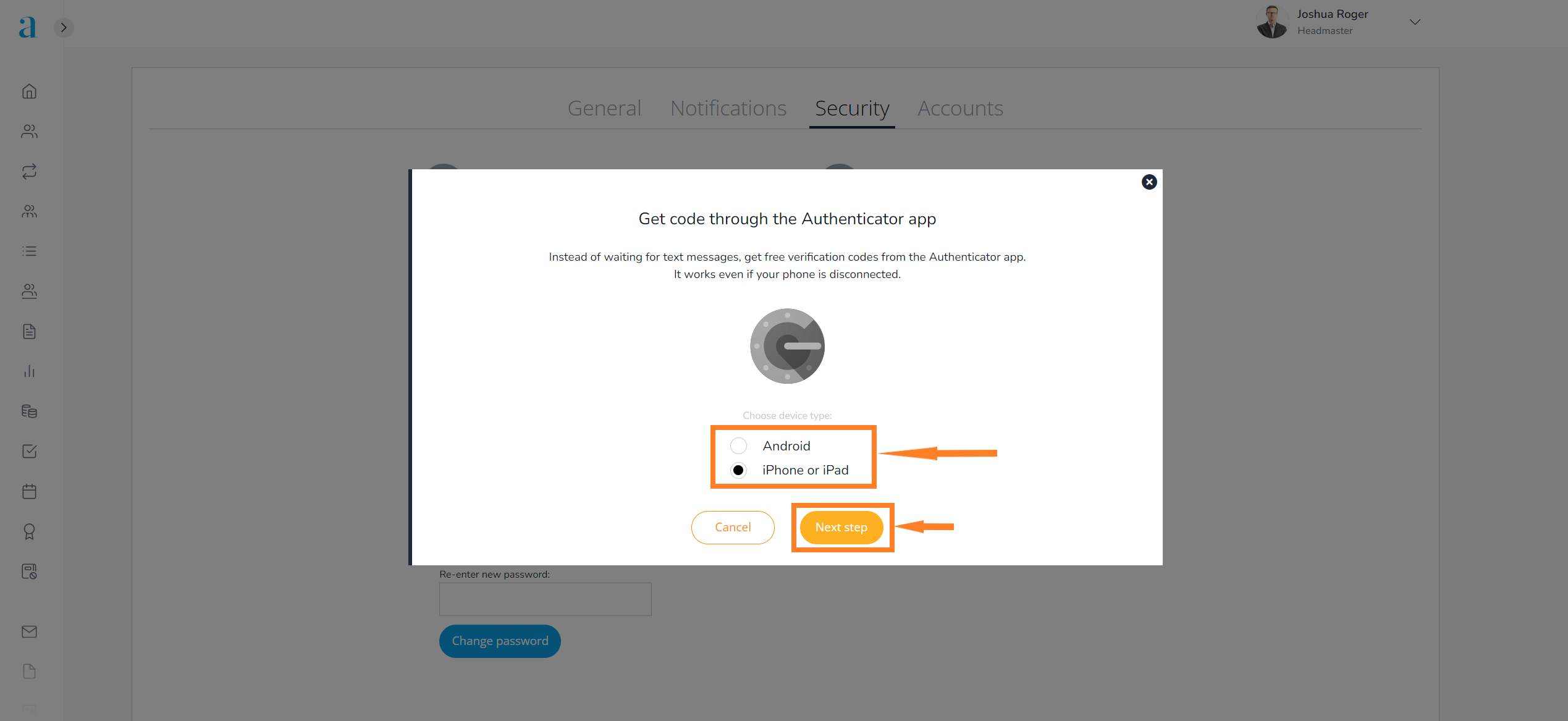
3. Choose the device type: (Android, iPhone or iPad) and press the Next Step button;
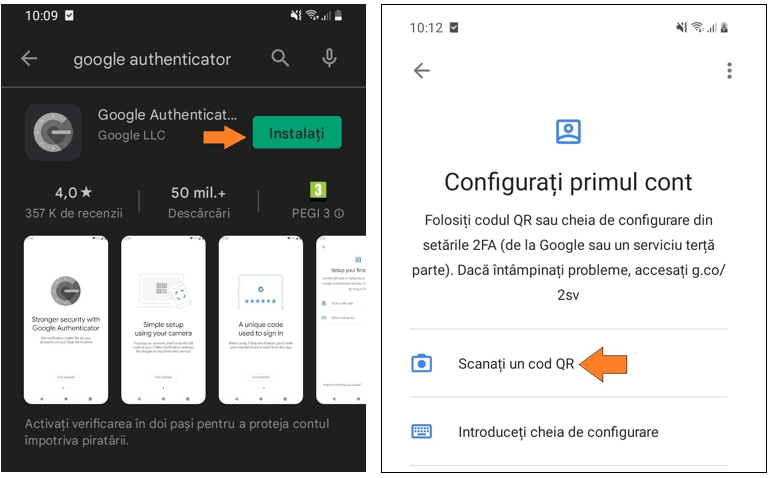
4. Install the Google Authenticator app on your device and press the Scan a QR code button;
5. Follow the steps below to start using;
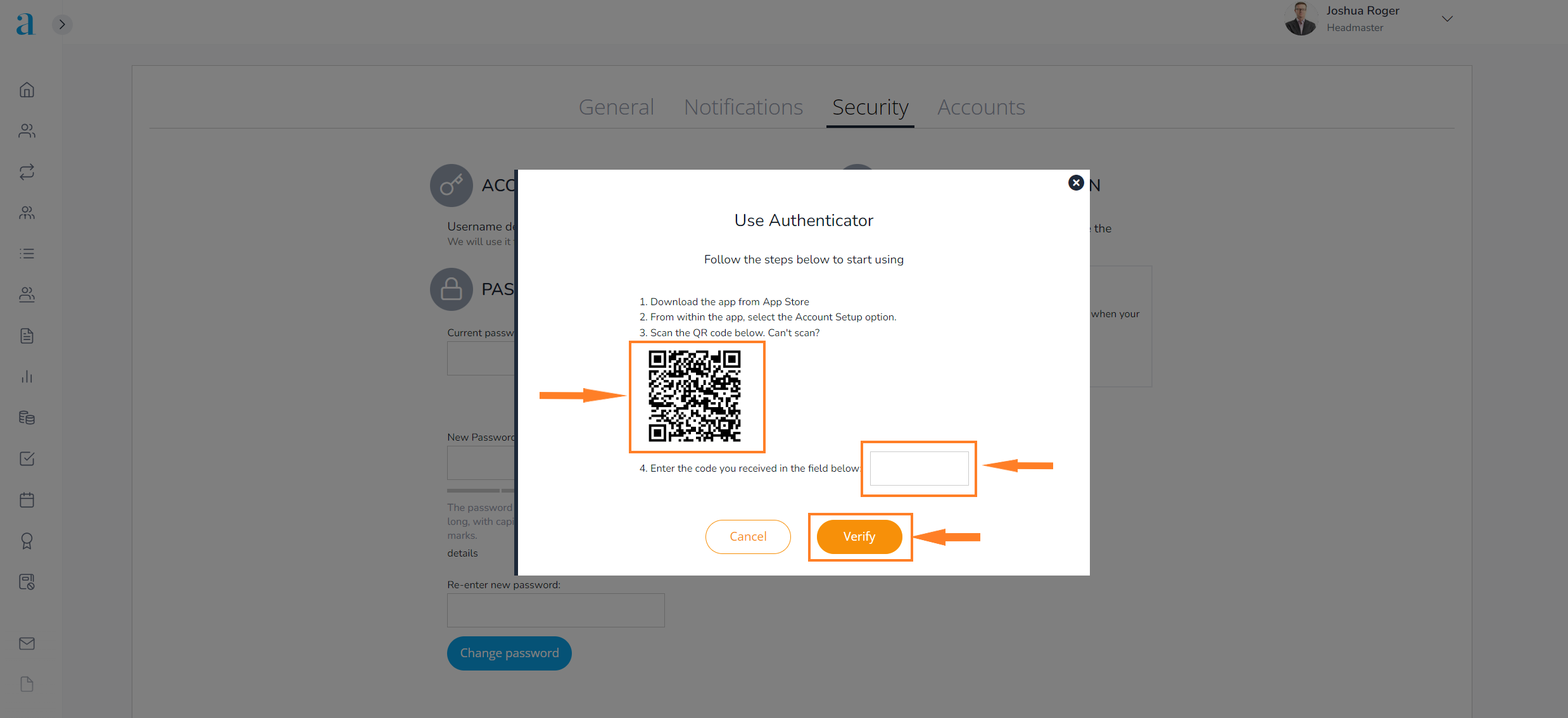
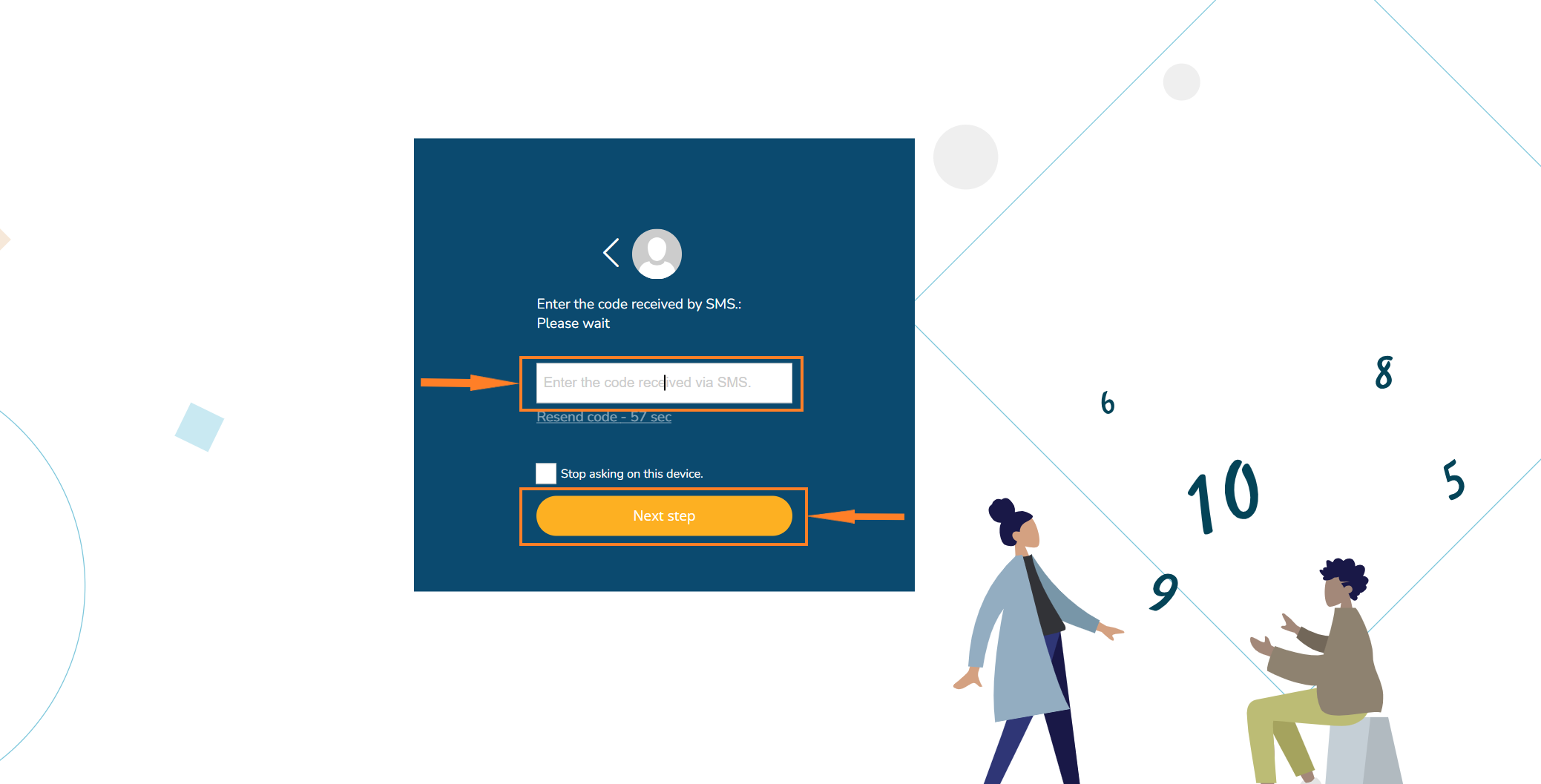
6. Every time an authentication is carried out, the Adservio platform will ask you: your username, password and the code automatically generated from the Google Authenticator application;


Tags:How do you secure your adservio account

Was this useful?

1 Yes  No
Similar articles
  • How to send registration codes to students and parents
  • How do I recover my password?
  • How do I create an Adservio account?
  • How do I customize my account?
  • How do I generate a new password for an Adservio user from a secretary or headmaster account?
  • How do I share a file with other users?

Didn't find your answer? Contact Us

My Account
  • How do you secure your Adservio account?
  • How to send registration codes to students and parents
  • How do I recover my password?
  • How do I create an Adservio account?
  • How do I customize my account?
  • How do I generate a new password for an Adservio user from a secretary or headmaster account?
View all articles 8  

  How do I share a file with other users?

How to send registration codes to students and parents  

  • © 2021 Adservio . All rights reserved.

Accessibility Adjustments

Powered by OneTap

How long do you want to hide the toolbar?
Hide Toolbar Duration
Select your accessibility profile
Vision Impaired Mode
Enhances website's visuals
Seizure Safe Profile
Clear flashes & reduces color
ADHD Friendly Mode
Focused browsing, distraction-free
Blindness Mode
Reduces distractions, improves focus
Epilepsy Safe Mode
Dims colors and stops blinking
Content Modules
Font Size

Default

Line Height

Default

Color Modules
Orientation Modules
Popular searches:How do I create an Adservio account?, How do I create a strong password?, How do I recover my password?