• Home page
  • Articles
  • adservio.ro
  • RO
  • Home page
  • Articles
  • adservio.ro
  • RO

Live Lesson

Homepage/Articole/My Classes/Student Activity/How do I add a plus or a minus to a student’s activity?
Popular searches:How do I create an Adservio account?, How do I create a strong password?, How do I recover my password?

How do I add a plus or a minus to a student’s activity?

135 views 0

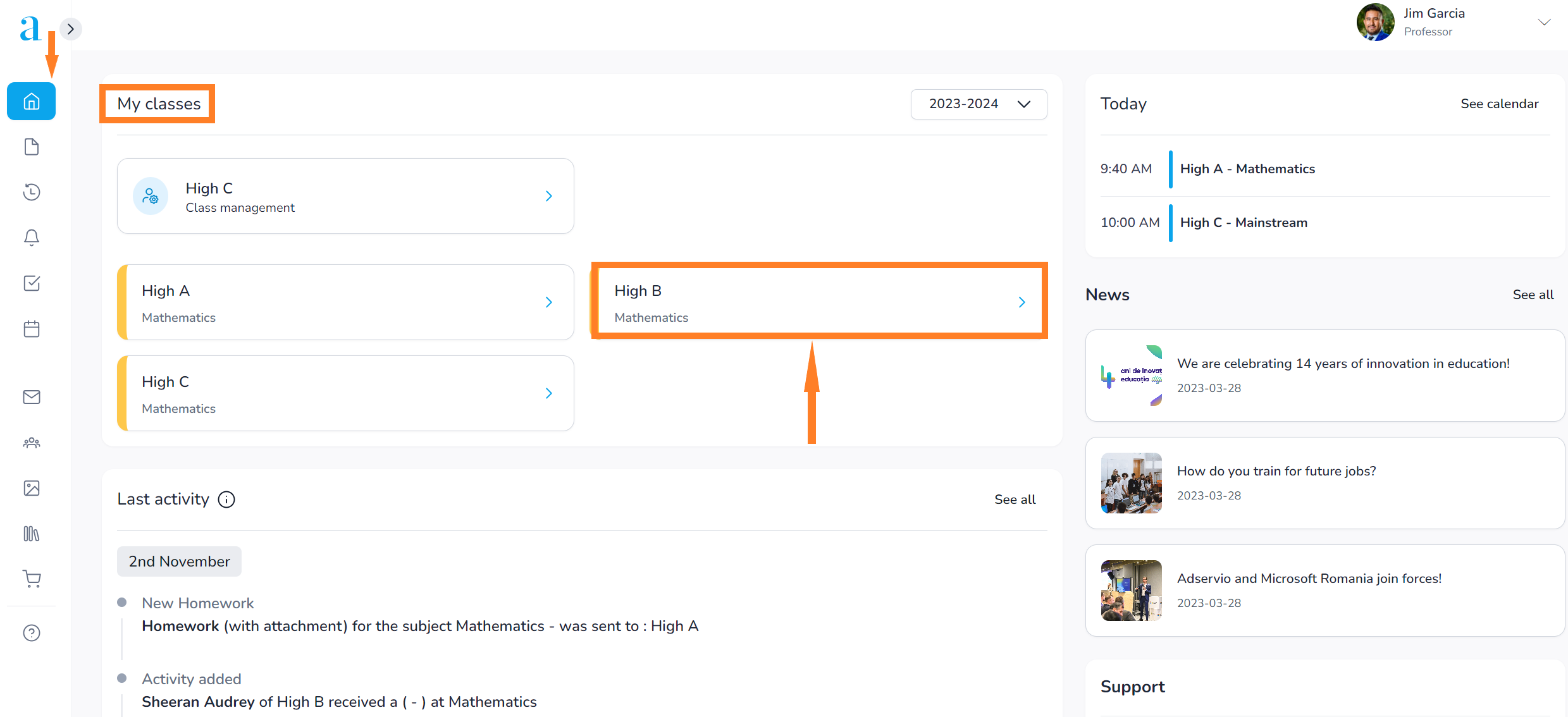
1. In the main menu, select the My classes module and click on the class;
 

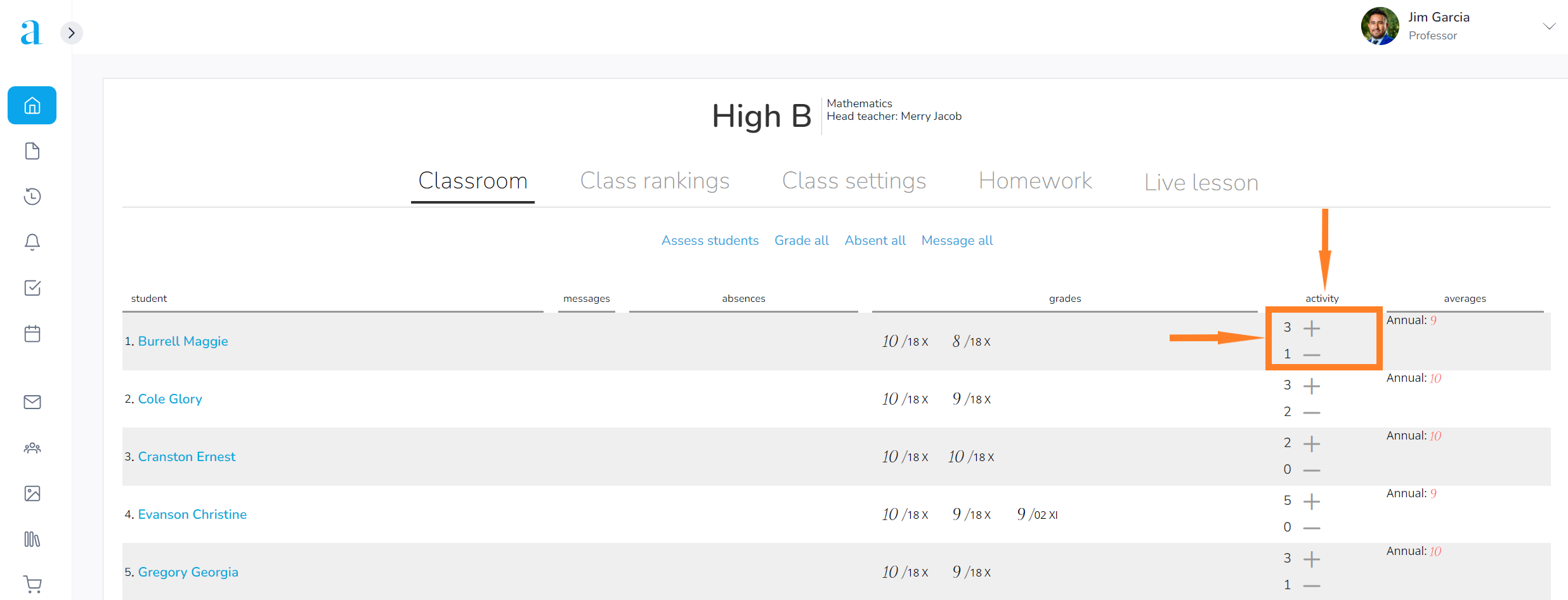
  2. Move the cursor to the student’s row, go to the Activity column and click on + or –, depending on how satisfied you are with the student’s activity in class;
 

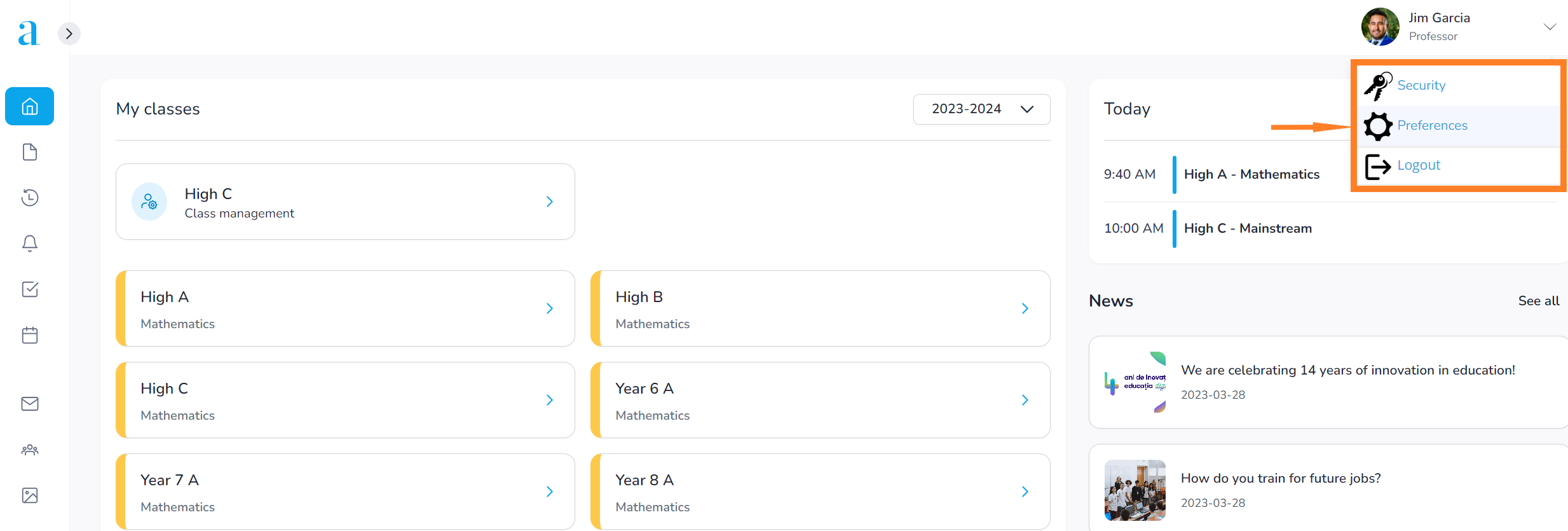
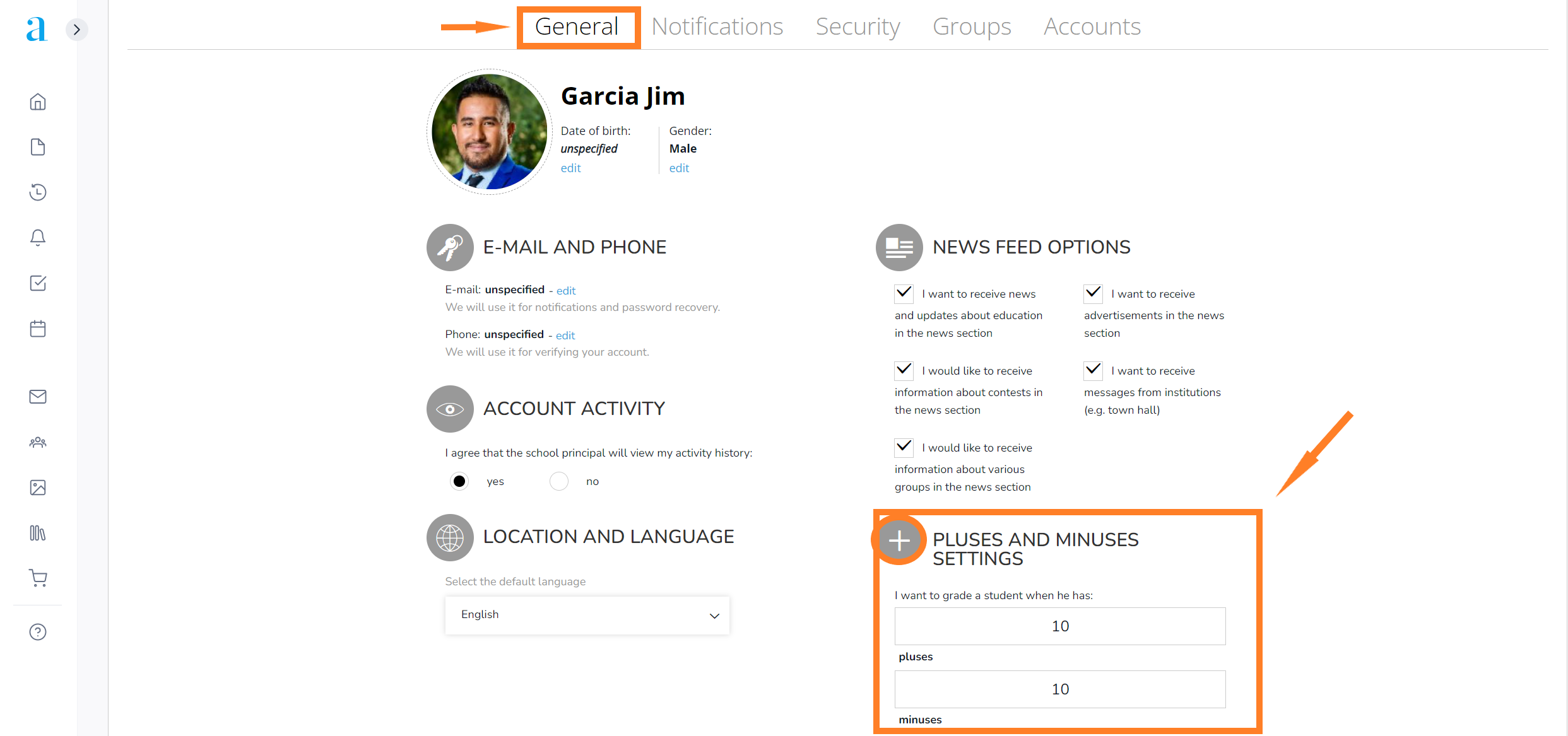
  • in the Preferences section (top right) – General, you can configure the threshold of plusses or minuses required for a student to be graded;
  • based on this setting, the system will warn you when the target has been reached. If you want to grade the student, pressing the YES button will redirect you to the Grade student option.


Tags:Teachers & EducatorsTeacher

Was this useful?

Yes  No
Similar articles
  • How can I view my child’s attendance?
  • How do I reset the activity (plusses/minuses) for the whole class?
  • How do I restore a deleted student?
  • How do I grade a student?
  • How do I excuse an absence?
  • How do I add an educator?

Didn't find your answer? Contact Us

Student Activity
  • How do I add a plus or a minus to a student’s activity?
  • How do I reset the activity (plusses/minuses) for the whole class?
  • How do I grade a student?
  • How do I excuse an absence?
  • How do I check and grade assignments turned in by a student?
  • How do I cancel a plus or a minus for student activity?
View all articles 11  

  How can I check my timetable as a teacher?

How do I create a Zoom account for Adservio?  

  • © 2021 Adservio . All rights reserved.

Accessibility Adjustments

Powered by OneTap

How long do you want to hide the toolbar?
Hide Toolbar Duration
Select your accessibility profile
Vision Impaired Mode
Enhances website's visuals
Seizure Safe Profile
Clear flashes & reduces color
ADHD Friendly Mode
Focused browsing, distraction-free
Blindness Mode
Reduces distractions, improves focus
Epilepsy Safe Mode
Dims colors and stops blinking
Content Modules
Font Size

Default

Line Height

Default

Color Modules
Orientation Modules
Popular searches:How do I create an Adservio account?, How do I create a strong password?, How do I recover my password?