• Home page
  • Articles
  • adservio.ro
  • RO
  • Home page
  • Articles
  • adservio.ro
  • RO

Configs

Homepage/Articole/Classes/How do I import the teacher table?
Popular searches:How do I create an Adservio account?, How do I create a strong password?, How do I recover my password?

How do I import the teacher table?

106 views 0

The teacher table is required of all educational establishments that have chosen to implement the Adservio platform.

The secretary/headmaster or a designated person holding the aforementioned positions at the educational establishment is responsible for importing the teacher table.

To automatically import the teachers table, follow the steps below:

  1. Choose the Educators module in the main menu.


       2. Choose Import educators from the list of options at the top;
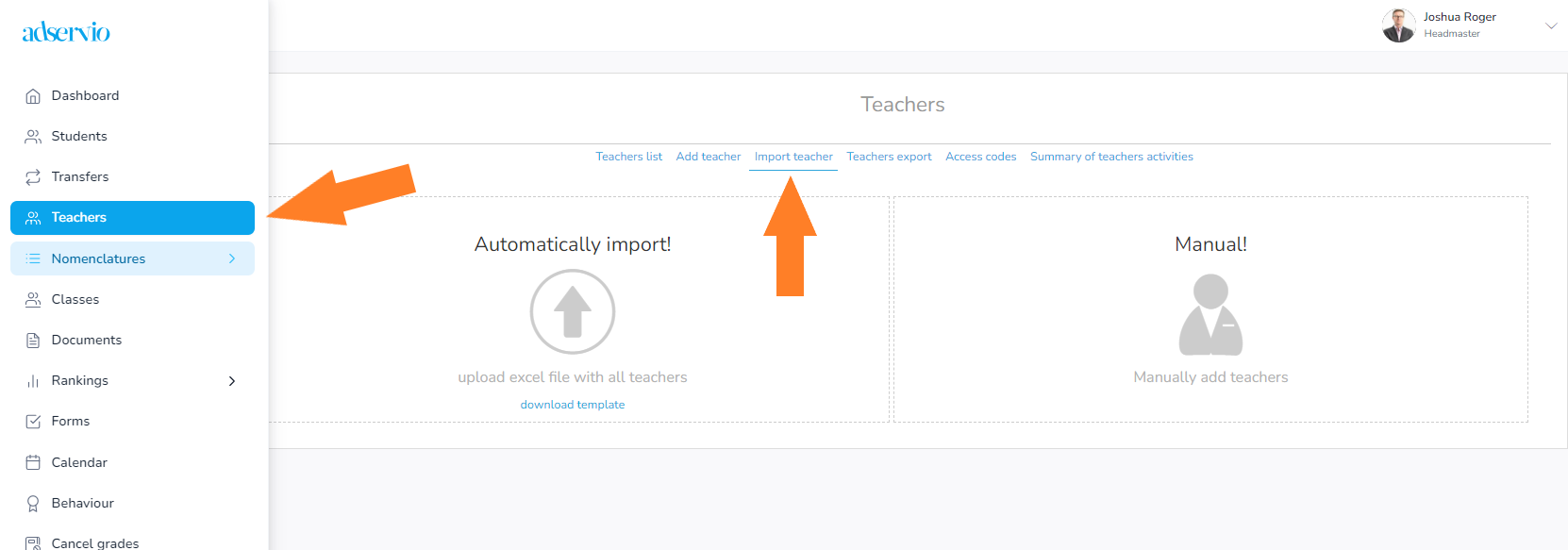
 

       3. The table to be imported with the information of all the teachers at the school can be downloaded by clicking on the “Download template” link. Upon downloading the table, you can fill in the required information.
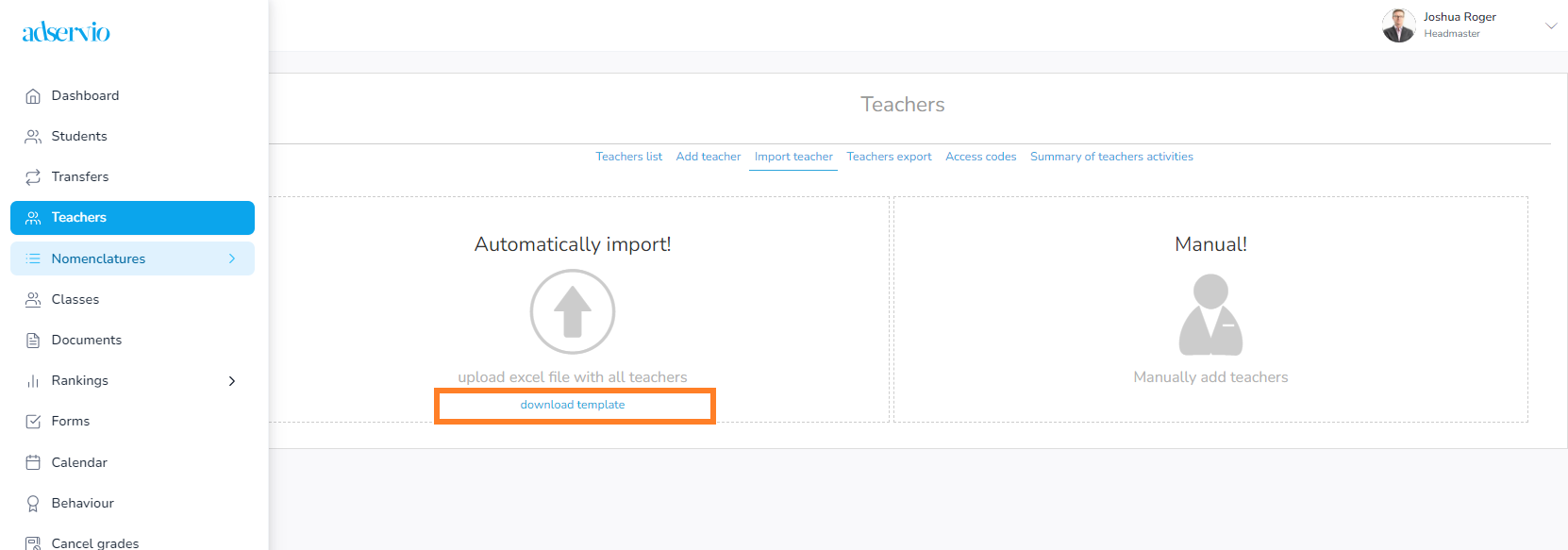
 

    4. The downloaded template explains through notes how to correctly fill in the table. 

Important: The document has to be filled in for all the educators at the school and it is very important that the file structure be respected. 

Note: some fields are not mandatory. You must fill in at least the educators’ surnames and names.


If the notes from the table header are not explicit enough, at the bottom you can find the spreadsheet titled “How to fill in”, which contains additional information. Once the table has been filled in, save it to import it in Adservio. 


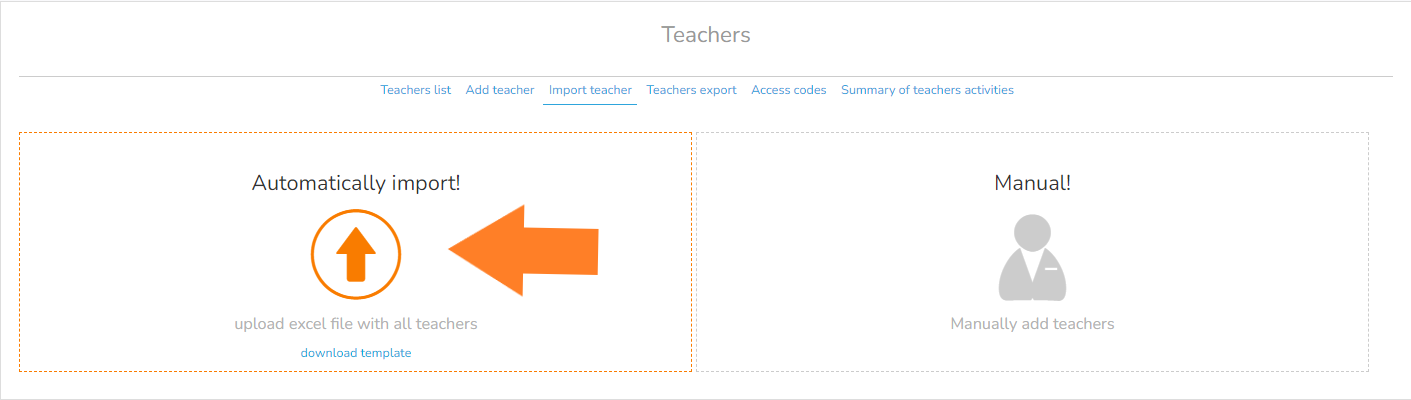
5. Once the table is complete, upload it on Adservio. In the main menu, select the Educators module / the Import educators section / the Import automatically option, then choose the file you have filled in and stored on your computer. Support link: Configurations required for import – educators.


Tags:Secretaryheadmaster

Was this useful?

Yes  No
Similar articles
  • How do I send registration codes to teachers from the secretary’s account?
  • How to send registration codes to students and parents
  • How do I assign homework ?
  • How do I promote students to the next school year?
  • How do I reset the activity (plusses/minuses) for the whole class?
  • How do I restore a deleted student?

Didn't find your answer? Contact Us

Classes
  • How do I import the teacher table?
  • How do I assign homework ?
  • How do I promote students to the next school year?
  • How do I reset the activity (plusses/minuses) for the whole class?
  • How do I grade a student?
  • How do I excuse an absence?
View all articles 18  

  How do I import the table containing student and parent information?

How do I link my Zoom account to Adservio?  

  • © 2021 Adservio . All rights reserved.

Accessibility Adjustments

Powered by OneTap

How long do you want to hide the toolbar?
Hide Toolbar Duration
Select your accessibility profile
Vision Impaired Mode
Enhances website's visuals
Seizure Safe Profile
Clear flashes & reduces color
ADHD Friendly Mode
Focused browsing, distraction-free
Blindness Mode
Reduces distractions, improves focus
Epilepsy Safe Mode
Dims colors and stops blinking
Content Modules
Font Size

Default

Line Height

Default

Color Modules
Orientation Modules
Popular searches:How do I create an Adservio account?, How do I create a strong password?, How do I recover my password?